Gift vouchers
Gift vouchers can be offered for purchase in your shop. In addition, you have the option of sending gift vouchers specifically to certain customers or potential new customers.
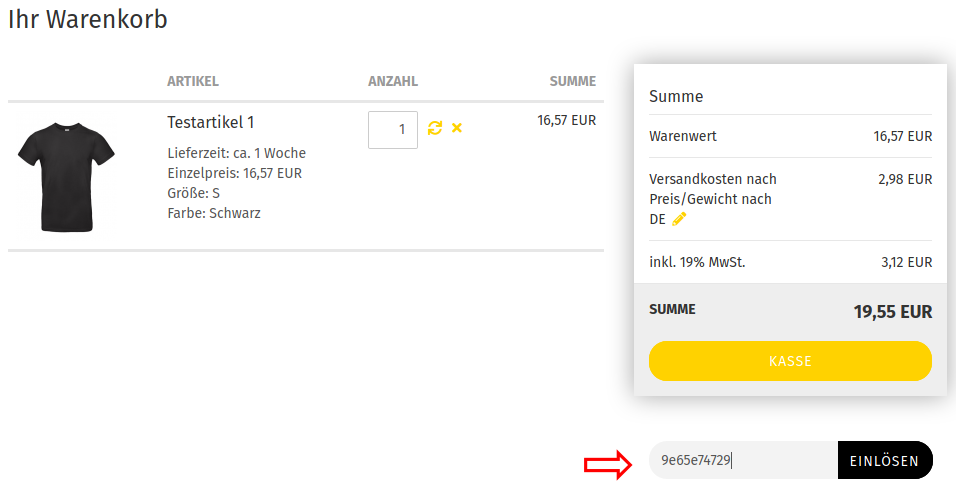
Install the Gift vouchers module under Modules > Summary so that gift vouchers are taken into account when calculating order totals.
Note
The gift voucher value is not tied to the customer or guest account to which the gift voucher code was sent or from which the gift voucher product was purchased.
Sending gift vouchers
Welcome gift voucher
The shop system can issue a welcome gift voucher to new customers along with the registration confirmation. The gift voucher must be actively redeemed by the customer before it can be used.
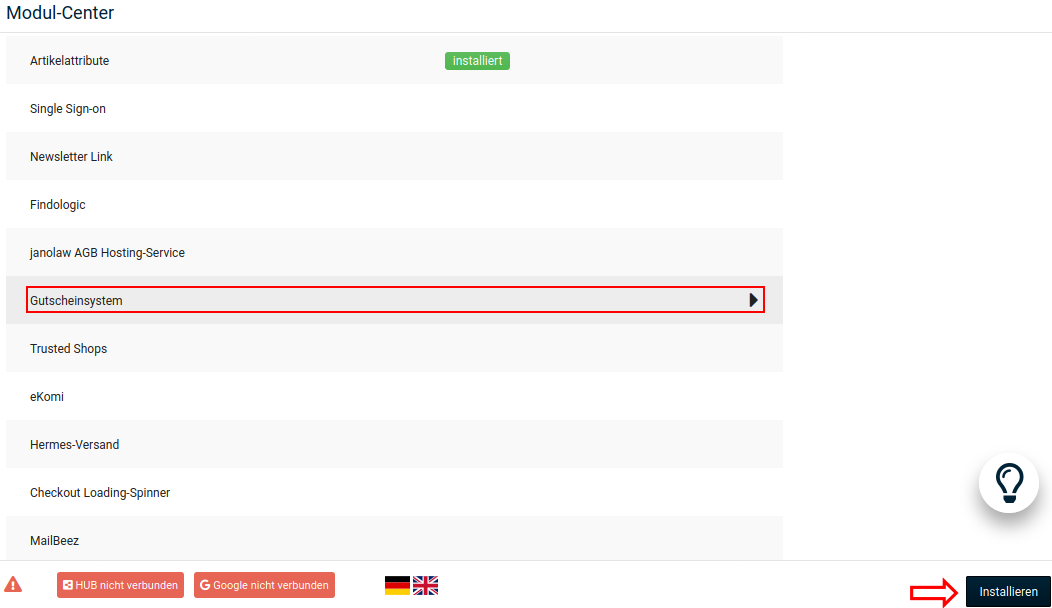
Activate the gift voucher system by installing the corresponding module under Modules > Module Center.
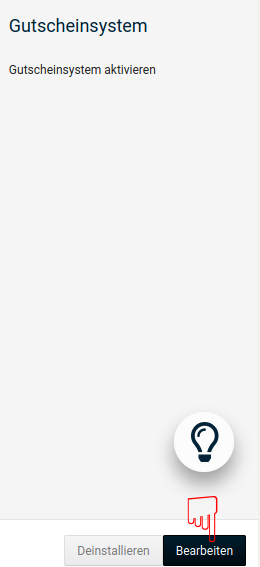
Edit the module to enter the value of the welcome gift voucher.
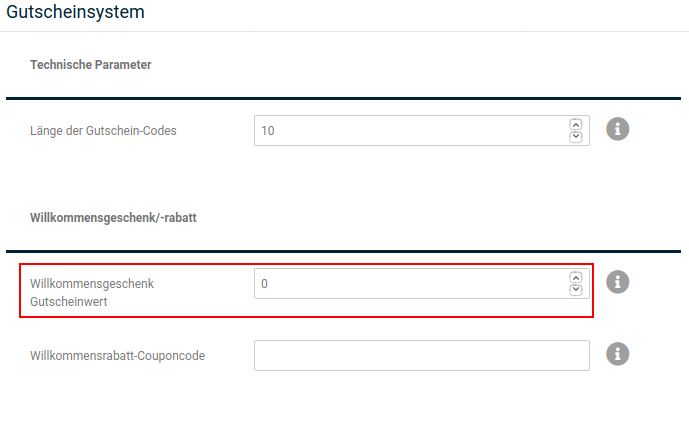
Enter the desired gift voucher value in the Welcome gift voucher value field.
Note
If you set up both a welcome gift voucher and a welcome discount coupon, the customer will be sent a gift voucher code and a coupon code upon registration.
Gift voucher email
If you want to send a gift voucher to a specific customer or a potential new customer, open the menu item Gift vouchers > Gift voucher email in the Gambio Admin.
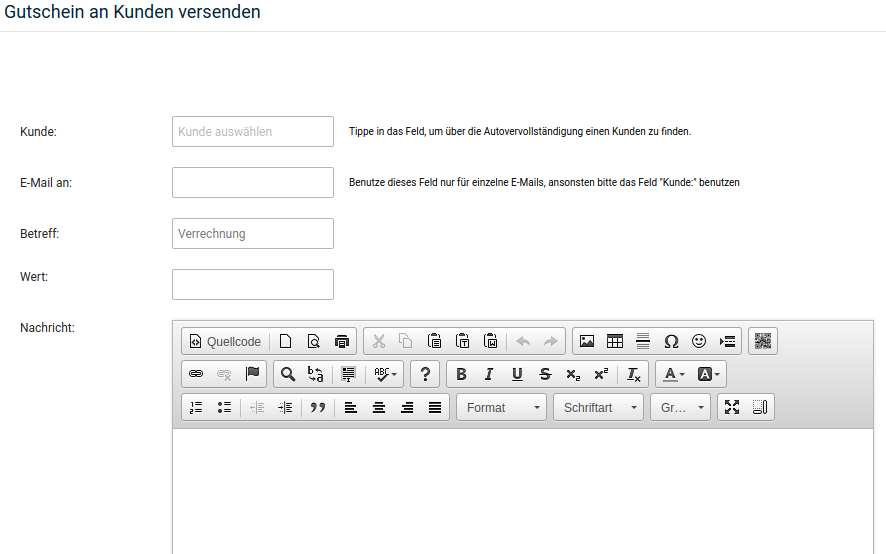
- Select a customer from the Customer list or enter an email address of your choice in the Email to field
-
Enter a subject for the gift voucher email in the Subject field
If you do not enter a subject, Settlement is used as the subject
-
Enter the gift voucher value in the Value field
- In the Message field you can add a personal message
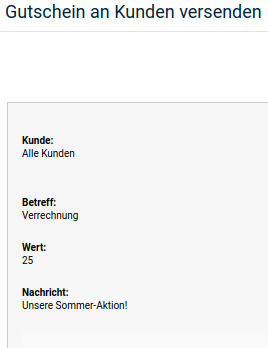
- Click Send email to display a preview
- Click Send email again to send the gift voucher
The gift voucher recipient receives an email with the chosen subject. The email contains the gift voucher code for entry in the shopping cart as well as a link through which the gift voucher can be redeemed directly.
Note
The gift voucher recipient can pass on the gift voucher code so that another customer can redeem the gift voucher.
Gift vouchers as products
Gift vouchers can be offered as products in the shop. With a gift voucher product, your customers purchase credit that they can give to another person by email or have credited toward a later purchase.
Attention
Gift voucher products can only be ordered directly in the shop. Manually creating or reworking an order with gift voucher products is not intended; gift vouchers added or edited in this way are not processed by the gift voucher system.
Instead of a manually created order, the function Log in as customer via the dropdown button of the respective customer account under Customers > Customers should be used to place an order on behalf of the customer.
-
Create a new gift voucher product.
When creating gift voucher products, pay attention to the mandatory fields described in the chapter Creating products.
-
In the Product number field, enter a product number that begins with the keyword GIFT_, followed by a number.
- In the Price field, enter the gift voucher value.
- Save your new product.
The ordered gift voucher must be released before it can be redeemed. There are two different ways to do this in the shop:
Releasing via the gift voucher release list
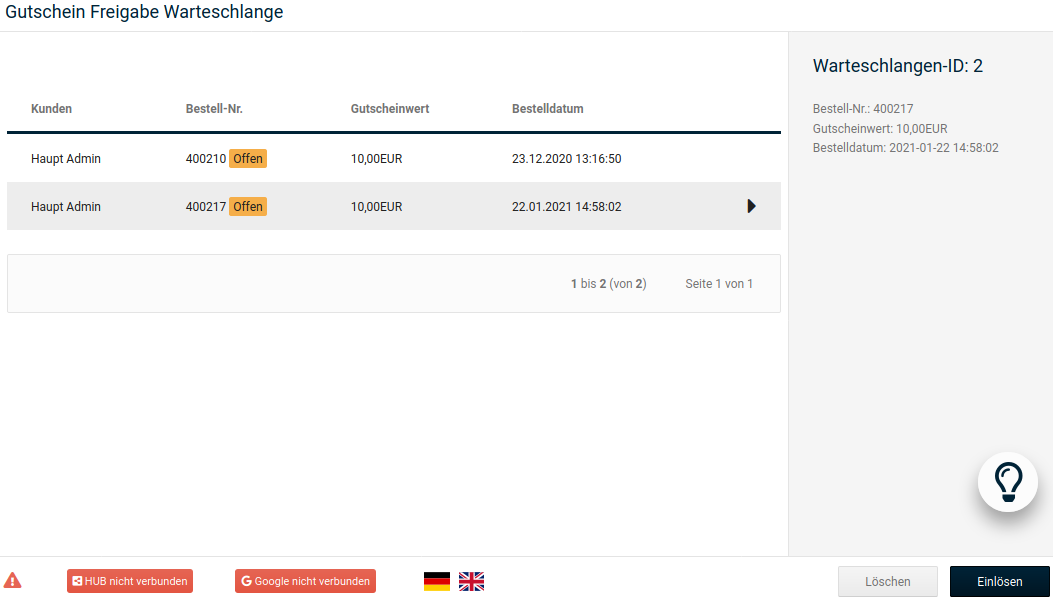
The ordered gift voucher is listed in the release list under Gift vouchers > Gift voucher queue. Once you have recorded the incoming payment, release the gift voucher.
-
Click the row with the gift voucher to be released
The row turns dark gray
-
Click Redeem
Releasing a gift voucher requires two steps in order to prevent erroneous releases. The dialog for sending a gift voucher email is opened.
-
If necessary, adjust the details in the Email to, Subject or Value fields and add a personal Message if desired. Click Send email and check the preview. Click Send email again to confirm sending.
The customer is informed about the release by email
Releasing via the order status
Alternatively, you can change the status of the associated order under Orders > Orders. To do so, at least one status must previously be checked under Order status for automatic sending of gift voucher codes in the gift voucher system module under Modules > Module Center (see chapter Gift voucher system). When the status is changed, a gift voucher email containing the code for redemption is sent to the customer.
Gift voucher cards
Since the gift voucher value is credited directly to the buyer's credit account when purchasing gift voucher products, selling gift voucher cards is not directly possible.
-
Create a new, regular product for your gift voucher card
The product number for the gift voucher card should not begin with GIFT_
-
When a customer orders a gift voucher card, send yourself a gift voucher for the chosen value via the function Gift vouchers > Gift voucher email
- You receive an email with the gift voucher code
- Enter the gift voucher code on your gift voucher card