Cache
Introduction
The shop software assembles each page of the shop from various components - predefined texts, database information, graphics, scripts, etc. The end result is displayed in the visitor's browser in the form of an HTML file.
The cache works as a temporary storage. It keeps the finished HTML pages ready so that they are directly available when the shop is accessed and do not have to be reassembled every time.
Note
There are different types of caches, including the so-called browser cache, i.e. a separate temporary storage within the web browser. It also stores copies of the pages it has received from the shop.
This can become problematic when you make changes to the shop and want to check them, as you may still be shown a view that used the old settings.
In some browsers, the cache can be cleared with the key combination CTRL + SHIFT + R. Often, however, it is necessary to do this in the browser settings.
Caches in the shop
Under Toolbox > Cache the various caches of the shop can be cleared or regenerated.
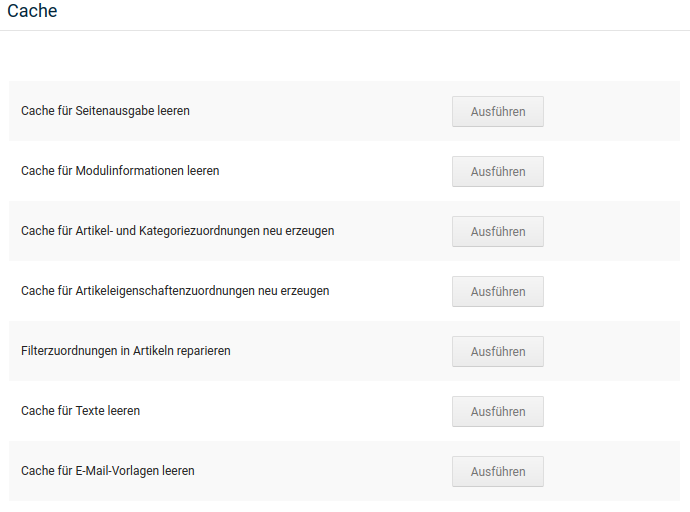
The individual caches are arranged in the Gambio Admin from the more general to the more specific. Therefore, they should always be cleared or regenerated from bottom to top - the more specific changes first, the general display last. To do this, click Execute next to the respective cache entry and wait until the confirmation message is displayed.
Below are a few examples of when which caches should be cleared:
Changes to categories
If categories are newly created, renamed, moved, copied, deleted or re-nested, it is usually necessary to clear or regenerate the following caches:
- Product and category assignments
- Module information
- Page output
Changes to texts
If shop-internal texts are changed under Content > Customize texts, the following caches should be cleared:
- Texts
- Page output
Changes to email templates
If email templates are modified, the following caches must be cleared:
- Email templates
- Module information
- Page output
Note
For most cases, it is sufficient to clear the caches for Module information and Page output, in this order.