Merchant Customers
The shop system offers a function via which merchants who provide a valid VAT ID number during registration are automatically moved to a predefined customer group after a check. You can configure this function under Settings / Languages, Countries, Taxes / VAT. Please note that the VAT ID number can only be checked for EU states.
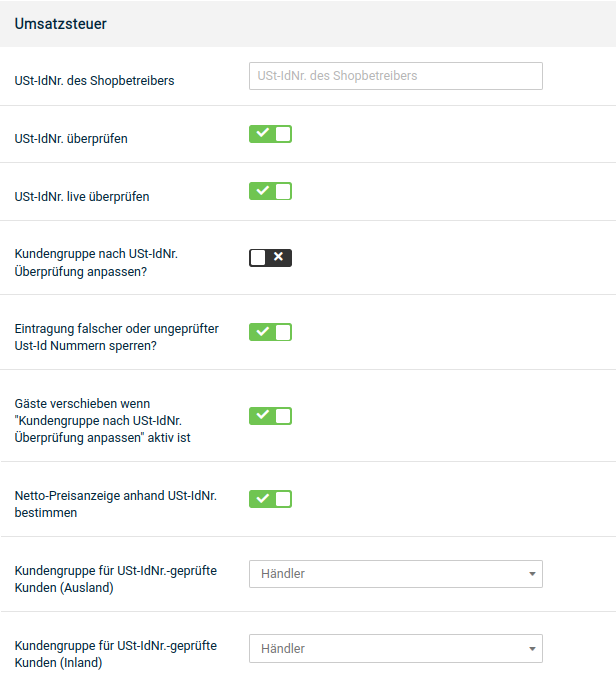
Activating the live check
In the basic configuration of the shop system, the live check of the VAT ID number is already activated. If you have deactivated the live check in the meantime, carry out the following steps.
- Select the option ✔ at Check VAT ID no. and at Check VAT ID no. live
- Select the option ✔ at Adjust customer group after VAT ID no. check
- From the lists Customer group for VAT ID no.-checked customers, select the customer groups for domestic and foreign customers
- Click Save to save the changes to the VAT check
Deactivating the live check
If you do not want to check the VAT ID number of your customers, carry out the following steps to deactivate the live check or the complete check.
- Select the option ✖ at Check VAT ID no. live
- If you do not want to check the VAT ID number, also select the option ✖ at Check VAT ID no.
- Click Save to save the changes to the VAT check