Meta information
Under Settings / Search engine optimization / Meta information, the existing settings for the meta information of your shop can be viewed, edited and supplemented.
Note
With meta information you can store hints for web browsers and search engines. Some meta information is already preset in the shop system. In addition to the preset meta information, any number of your own meta entries can be added.
Defaults
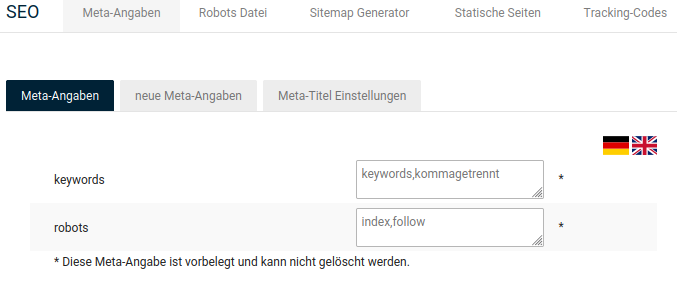
Robots
The meta entry robots contains instructions for search engine robots on how the page at hand should be handled. The instructions for indexing (index,noindex) and following links (follow,nofollow) can be mixed as required. The default setting index,follow instructs the robot to index the page and to follow links on the page.
Keywords
In the meta entry keywords you can store a comma-separated list of keywords for your online shop. The keywords can be taken into account by search engines as search terms under which customers find your shop.
Custom meta information
Under Settings / Search engine optimization / Meta information, after opening the Meta information page, you can create additional meta entries.
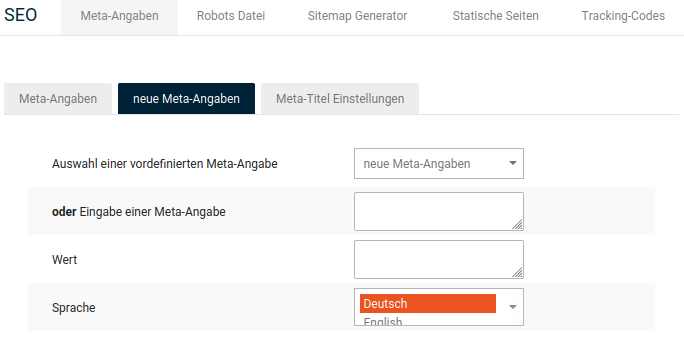
- In the list Selection of a predefined meta entry, select a meta entry or, in the field Entry of a meta entry, enter a meta entry that is not included in the list.
- In the Value field, enter the value for the corresponding meta entry.
- From the Language list, select the language for which the meta entry should be applied.
- Save the new entry.
| Meta entry | Description |
|---|---|
| description | Description of the page |
| author | Author of the website (responsible for the content) |
| date | indicates when the page was published |
| copyright | defines the copyright of your shop, i.e. your name or your company |
| publisher | Publisher of the page |
| page-topic | rough categorization for the search catalog in which your page is listed. You can also enter several terms. (for example clothing, baby clothing, maternity wear) |
| page-type | Type of your website (for example online shop) |
| audience | Target group of your web shop, if you can and want to define this (for example tradespeople, DIY enthusiasts, adults,...) |
Meta title
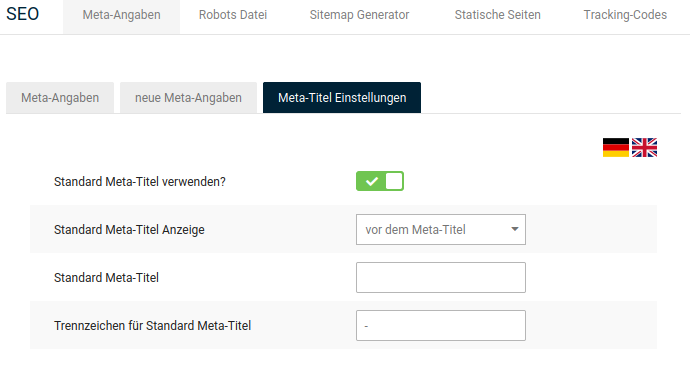
Under Settings / Search engine optimization / Meta information, after opening the Meta information page, you can define the title of your online shop, which, depending on the browser, is displayed in the tab bar or in the browser title. In addition to the page title, the title of the currently displayed page is shown.
Note
If no meta title is defined, the shop system uses the value entered under Settings / Shop / General in the Name field of the shop as the page title.
| Setting | Description |
|---|---|
| Use default meta title? | if activated, the default meta title is displayed in addition to the page title |
| Default meta title display | determines whether the default meta title is displayed before or after the page title (meta title) |
| Default meta title | (optional) default meta title that is displayed in addition to the page title |
| Separator for default meta title | defines the separator with which the default meta title and page title are separated from each other |
Note
The meta information in the section Settings / Search engine optimization / Meta information is only used for pages without their own meta information. Individual meta entries on other pages take precedence over the general entries.