Shop key
Note
This area of the Gambio Admin is only available in self-hosted shops.
The shop key is used to link your Gambio shop with the Gambio customer portal. You receive the shop key in the Gambio customer portal.
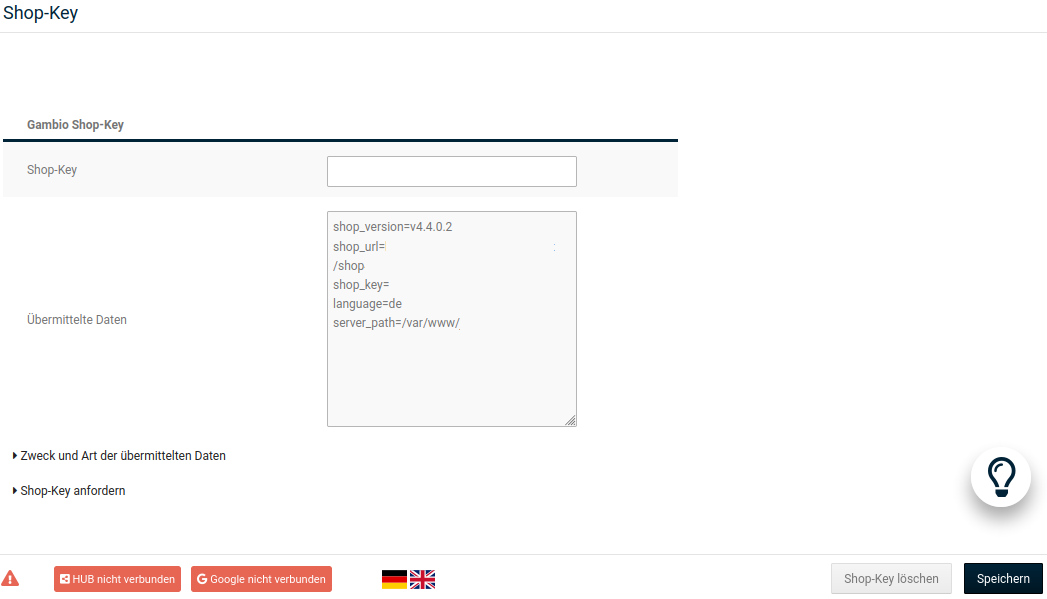
You can enter the shop key in the administration area of your shop under Settings / System / Shop Key in the field Shop-Key. Once you have entered the shop key, click on Save. The shop system now transmits the following version information about your shop to the Gambio customer portal at regular intervals:
- the internet address (URL) of your shop
- the current shop version
- the shop key
- the language active in the Gambio Admin at the time of transmission
- if available, a list of previous shop versions
A list of the exact data that is passed on to the Gambio customer portal can be viewed in the Gambio Admin of your shop under Settings / System / Shop Key after opening the page via the link Purpose and type of transmitted data.