Timer
Via Toolbox > Timer, time-controlled changes can be made to your products. It is possible to adjust both the delivery status and the product price status.
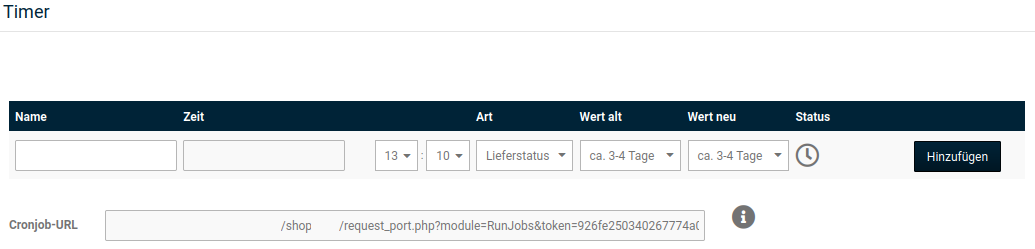
To create such a process, please enter an appropriate name in the input field of the Name column. In the Time column, the date and time determine when the process should be executed.
Under Type, please set whether you want to change the delivery status or the product status. The changes are not made for all products at the same time; instead, a status that is to be changed must be defined beforehand. For example, select approx. 1 week under Old value to change the delivery time to a new value (such as approx. 2 weeks) for all products with this delivery status. Please select the new setting under New value. Finally, click on Add to create the process.
Note
Via Product status you can change the value that can be selected in the product as the product price status. You can find more details about this setting in the chapter Creating products.
In order for automated processes to be executed, a so-called cron job must be set up with your hosting provider. A corresponding cron job URL is required for this. If you have already set up a cron job for the automatic status change under Content > Shop online/offline, such as the vacation mode, this can also be used for the timer, since the cron job URL is identical.
To make changes to an existing process, please click on the pencil symbol. The change can then be applied by clicking on Save or discarded via the Cancel button.