Tracking codes
Under Settings / Search engine optimization / Tracking codes the Tracking codes page can be opened.
Note
With tracking, page visits and the visitor behavior of your customers in your shop are recorded. The statistical evaluation is carried out with special programs. To record the page visits, a JavaScript code is usually required.
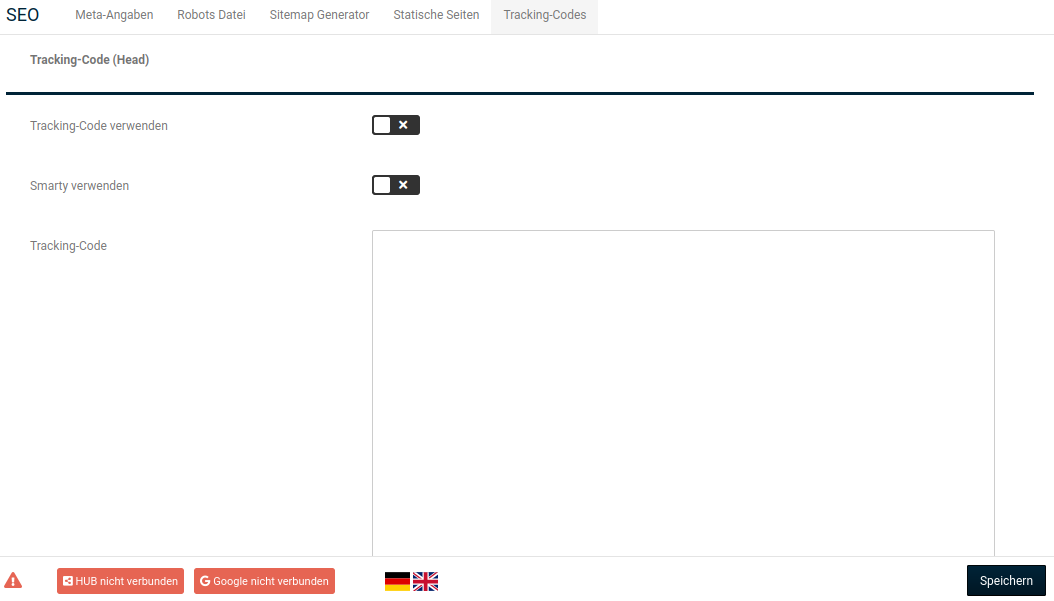
Tracking codes can be stored for the following areas:
- Head: Code is integrated in the head section (HTML header) of all shop pages
- Body: Code is integrated at the bottom of the body area (HTML body) of all shop pages
- Body order completion: Code is integrated in the body area of the order completion page (the page that is loaded after clicking order with obligation to pay)
The same settings are available for each area:
| Field name | Description |
|---|---|
| Use tracking code | Inserted tracking code is used in the relevant area |
| Use Smarty | If the checkmark is set, Smarty code contained in the tracking code is interpreted |
| Tracking code | Input field into which tracking codes can be inserted |
Attention
Make sure that the HTML tags script at the beginning and /script at the end of your code are retained.
Confirm the changes made by clicking the Save button.
Note
Advanced tracking, such as conversion tracking, cannot be integrated via the Tracking codes function. For this, the Google Services module under the menu item Google can be used.
Attention
With tracking, data of your customers is recorded. When using tracking, changes to your privacy policy may be necessary. Please consult your legal advisor in this regard.