Discount Coupons
With discount coupons, you offer your customers a price reduction on certain products or products from certain categories. The price reduction is calculated as a percentage of the goods value or stored as a fixed amount.
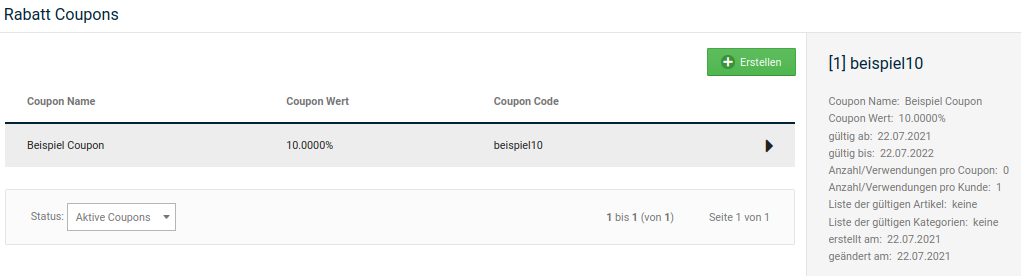
Via discount coupons, you can also refund the shipping costs that would normally be incurred with an order. Bulky goods surcharges are excluded from this. The exemption from shipping costs can be combined with a fixed price reduction.
Install the Discount Coupons module under Modules > Summary so that discount coupons are taken into account when calculating the order totals. You will find information on configuring this module in the chapter Summary > Discounts.
Note
If the goods value is lower than the coupon value, the remaining value of the discount coupon is forfeited after the order.
Welcome Discount Coupon
The shop system can issue a welcome discount coupon to new customers with the registration confirmation. The coupon must be actively redeemed by the customer in order for it to be used. Note that you must first create the welcome discount coupon before you enter the code.
Enter the code of the desired welcome discount coupon in the Voucher system module under Modules > Module Center in the Welcome Discount Coupon field.
Note
If you set up both a welcome gift voucher and a welcome discount coupon, the customer will be sent a gift voucher code and a discount coupon code upon registration.
Creating a new discount coupon
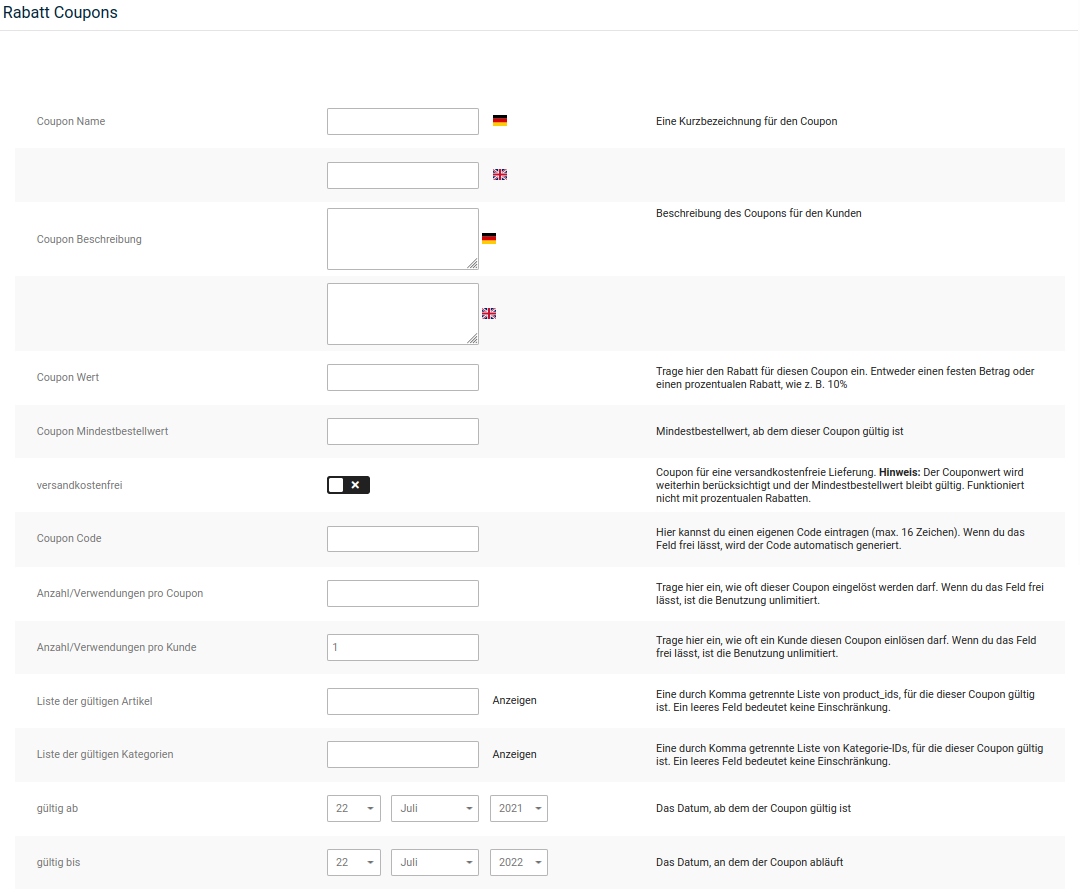
- Open the menu item Vouchers > Discount Coupons in the Gambio Admin of your shop
-
Click on Create
The input form for discount coupons opens
-
Fill in the desired fields. Also pay attention to the table Coupon input form
- Select a validity period via the lists valid from and valid until
-
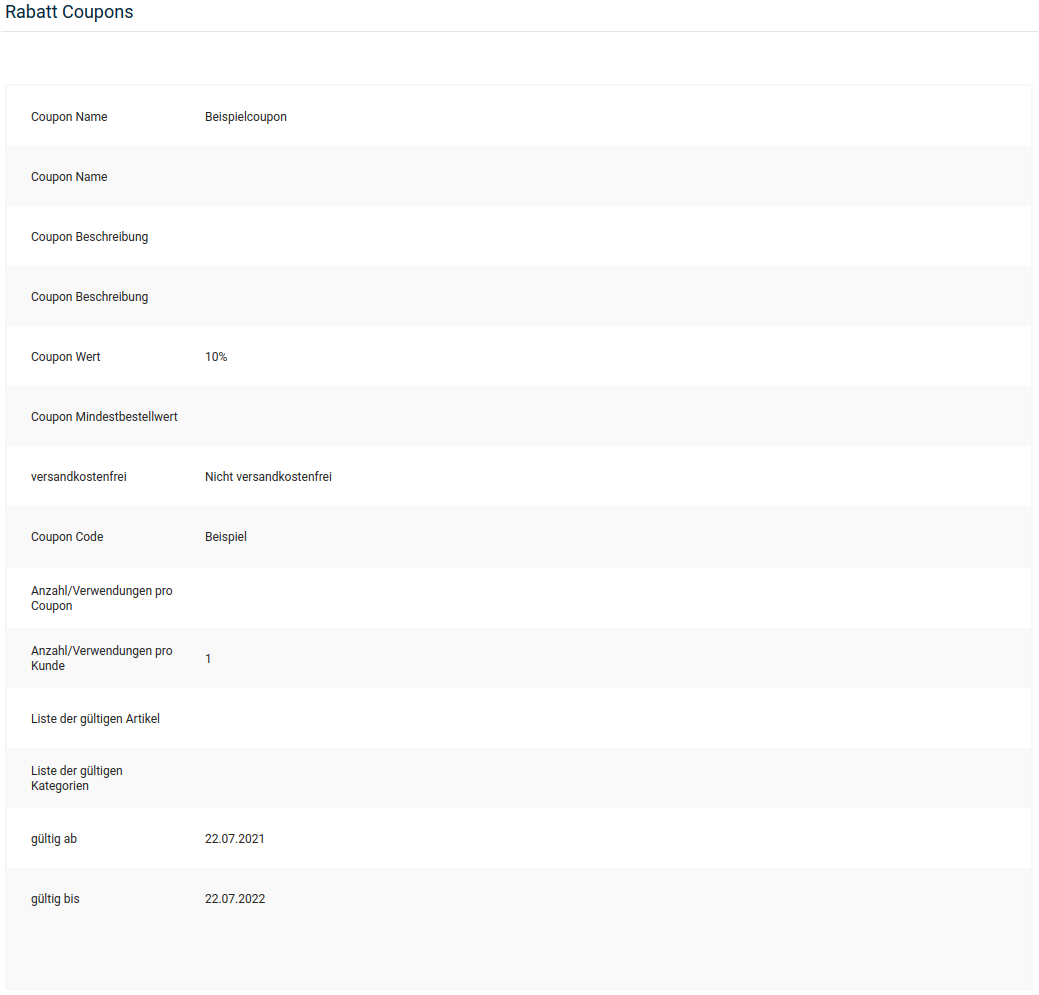
Click on Preview
You will see an overview with the details of your new coupon
-
Click on Confirm if the details of your new coupon are correct
Note
The free shipping option can only be combined with a fixed coupon value. If you activate the free shipping option with a percentage coupon value, your customers will only be refunded the shipping costs with the coupon.
| Field name | Description |
|---|---|
| Coupon Name | internal description for the coupon |
| Coupon Description | description of the coupon for the customer; is displayed in the coupon details when redeeming |
| Coupon Value | Mandatory field: value of the coupon; percentage values (10%) or fixed amounts (2.5000 => 2.50 EUR) are possible |
| Coupon Minimum Order Value | goods value that must at least be in the shopping cart so that the coupon is taken into account in the calculation |
| free shipping | if activated, the amount of the shipping costs is refunded in addition to a fixed coupon value [not active] |
| Coupon Code | code that must be entered to redeem the coupon; is generated automatically if no code is entered |
| Number/Uses per coupon | determines how often the coupon can be redeemed; leave the field empty if the coupon should be redeemable any number of times |
| Number/Uses per customer | determines how often the coupon can be redeemed by each customer; leave the field empty if the coupon should be redeemable any number of times by each customer [1] |
| List of valid products | comma-separated list of internal product IDs to which the coupon is restricted |
Note
A list of the associated IDs can be called up via the Show link. It opens in a new browser window.
| Field name | Description |
|---|---|
| List of valid categories | comma-separated list of internal category IDs to which the coupon is restricted |
Note
A list of the associated IDs can be called up via the Show link. It opens in a new browser window.
| Field name | Description |
|---|---|
| valid from | the date from which the coupon can be redeemed [current date] |
| valid until | the date on which the coupon expires [current day in the next year] |