Customer registration
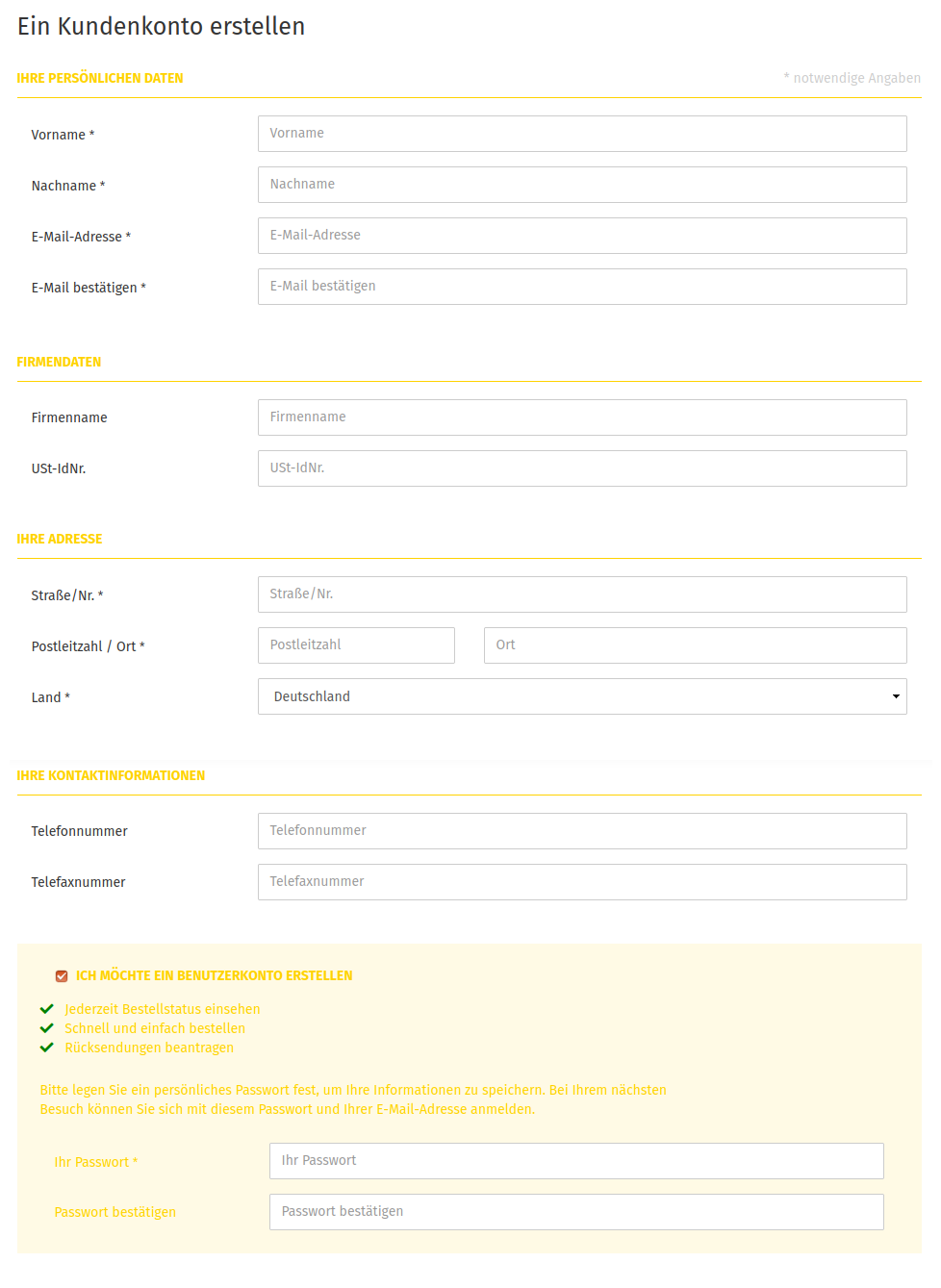
In the Gambio Admin of your shop, under Customers > Customers > Customer details, you can define whether your customers can create a customer account themselves via a registration form. At Type of account creation, select one of the options described in the table Type of account creation. Then click on Save to save the changes.
| Type | Description |
|---|---|
| Customer account | with the account creation type Customer account, only registered customers can order in your shop |
| Guest account | with the account creation type Guest account, no customer accounts for regular customers can be created |
| both | with the account creation type both, customers can register in your shop or order without a customer account |
Guest accounts are not necessarily created permanently, since they are intended to give customers the option of ordering without a permanent customer account. If the customer logs out directly after the order, the account is irrevocably deleted. The order with the complete contact details is retained. Under Customers > Customers > Customer details, select the option ✖ at Deletion of guest accounts if the automatic deletion of guest accounts is not desired. Then click on Save to save the changes.
Attention
In some shop versions, a cronjob URL is partially displayed under Customers > Customers > Customer details. This is no longer up to date and will be removed with an upcoming update. For the automated deletion of guest accounts, the cronjob URL under Toolbox > Scheduled tasks should be used.
Fields of the registration form
In the Gambio Admin of your shop under Customers > Customers > Customer details, you define which details are requested from your customers in the registration form. For the details that should be requested, select the option ✔. For options that you do not want to request from your customers, select the option ✖. Then click on Save to save the changes.
Customer details
Via the area Customers > Customers > Customer details, the composition of the registration form is defined and the type of customer accounts that can be created is configured.
| Field name | Description |
|---|---|
| Fax number | Activate the request for the fax number in the account creation |
| Salutation | Use the request for the salutation in the account |
| Telephone number | Activate the request for the telephone number in the account creation |
| Date of birth | Use the request for the date of birth in the account |
| Company | Use the request for the company in the account |
| District | Use the request for the district in the account |
| State | Use the request for the state in the account |
| Show additional address field | Display of an additional address field (for floor details, etc.) |
| Separate street and house number | Save street and house number separately from each other? |
Attention
External modules (payment modules, ERP, inventory management systems etc.) must be able to process street and house number separately. If you are not sure, leave this option deactivated.
| Field name | Description |
|---|---|
| Type of account creation | Should only regular customer accounts, only guest accounts or both be able to be created? |
| Trader status | Activate the request for the trader status in the account creation |
| Deletion of guest accounts | Should guest accounts be deleted after a completed order? (Order data is retained) |
| Default value for trader status | Default value for Trader status during customer registration (This value also applies if the trader status is not displayed) |
| First & last name optional | First & last name optional, provided the field Company name is filled in |
| Salutation as mandatory field | Define here whether the salutation must be filled in. |
Guest accounts
Guest accounts are not necessarily created permanently, since they are intended to give customers the option of ordering without a permanent customer account. If the customer logs out directly after the order and the deletion of guest accounts is activated, the account is irrevocably deleted.
In addition, a guest account can only be used once (within a so-called session in the browser). Since no password is assigned, logging in again is not possible. For this reason, guest orders of one and the same customer usually cannot be assigned to a single account, since a new guest account is created for each new order.
Trader status
The setting Trader status was introduced with the Gambio GX2 VAT update, which we created due to a change in the law on the taxation of electronically supplied services. The update is part of all current shop versions.
When creating a customer account, it is possible to specify whether the customer acts as a trader. In addition, the default value for this setting can be defined.
Note
Please note that the administrator is always treated like a trader. Regardless of their selected place of residence, the administrator always sees the VAT that applies to the country of the shop operator selected under Settings / Shop / Shop operator.
Defining mandatory fields
In the Gambio Admin of your shop under Settings / Customers / Minimum length for customer fields, you can define which of the requested values are mandatory details during registration.
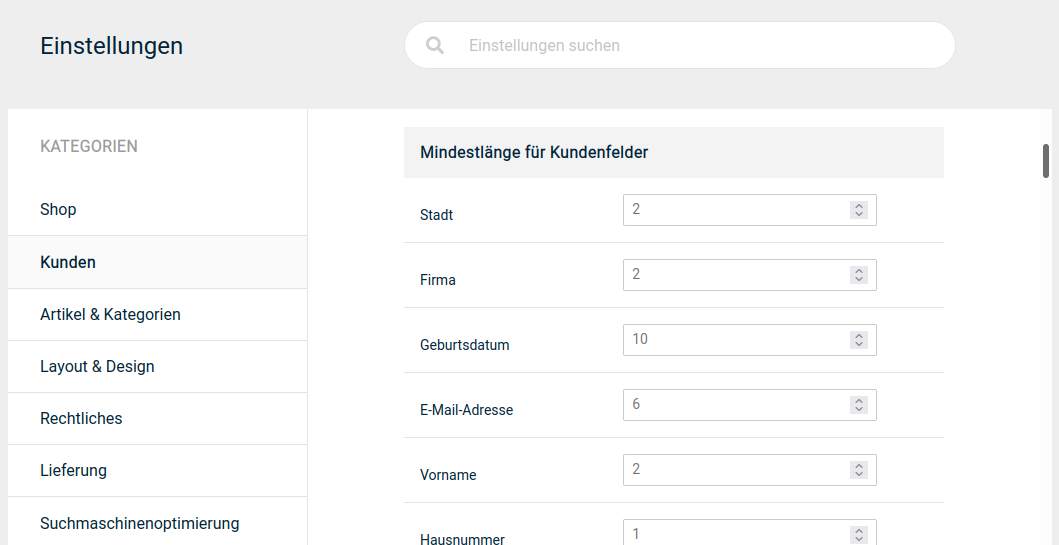
Enter an integer value above 0 in the fields that should be requested as mandatory details during customer registration. Enter the value 0 for fields that are optional during registration. Then click on Save to save the changes.