Scheduled tasks
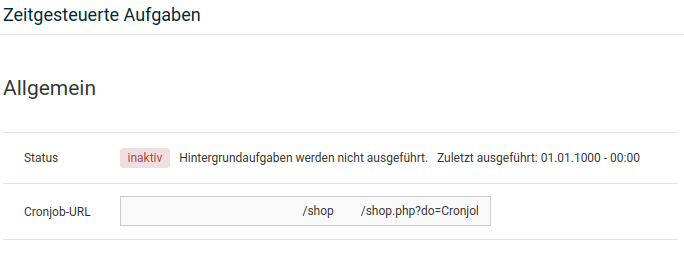
Scheduled tasks allow certain actions to be executed automatically. To do this, go to Toolbox > Scheduled tasks in the Gambio Admin. Possible actions are:
- Image Processing
- Delete guest accounts
- Update currency exchange rates
- Delete log files
- Export of the sitemap XML
- Check file permissions
- Afterbuy: synchronise orders
- Afterbuy: synchronise catalogues
- Afterbuy: import products
- Händlerbund legal texts update
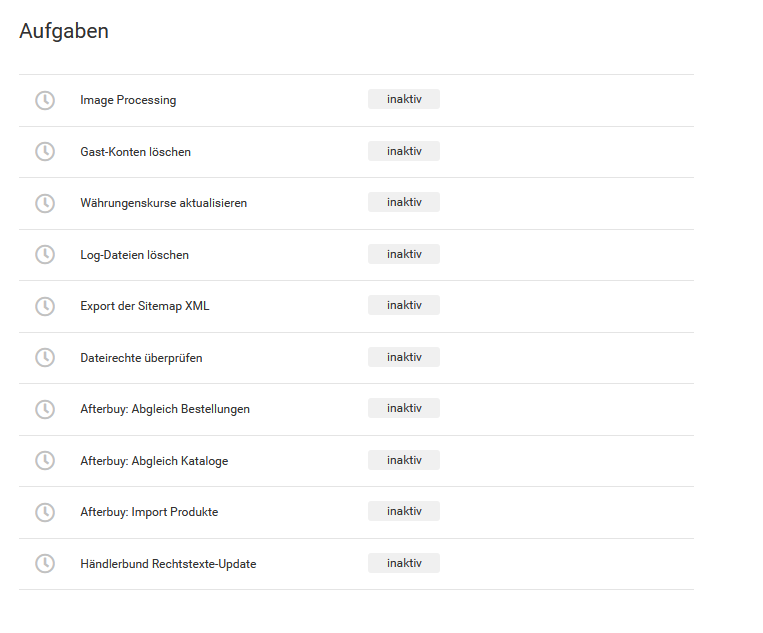
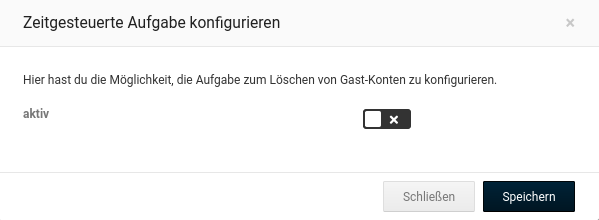
To be able to execute one of these actions automatically, the desired task must first be opened and edited via the pencil icon. Another window opens, in which the task can be activated and saved. To do this, tick the checkbox next to active and confirm this by clicking on Save.
For the configured tasks to be executed, a so-called cron job must be set up with your hosting provider (or alternatively with another provider specialising in this). It calls a preset internet address (URL) at a specific interval.
For the setup, copy the content of the field Cronjob-URL and use it as the call URL for the cron job. Also set the interval to one minute. Details and further assistance on this are available from your respective hosting or cron job provider.