EU legal guarantee and warranty label
From 27 September 2026, shops selling goods to consumers (B2C) in the EU must provide two labels specified by the EU: a notice on the statutory legal guarantee and – if a manufacturer guarantee is offered – the GARAN label for the commercial durability guarantee. Your shop generates and places both labels automatically. You only need to activate them and, in the case of the GARAN label, enter the guarantee details provided by your manufacturers.
Definitions
The following terms are used:
- Legal guarantee label:
- Harmonised notice on the statutory legal guarantee of at least two years
- Displayed for every sale to consumers
- The content is prescribed by law and cannot be modified
- GARAN label:
- Harmonised label for the manufacturer's commercial durability guarantee
- Only displayed if a guarantee of more than two years is offered for the product
- Brand, model identifier and guarantee period are maintained in the shop
The legal basis is the Consumer Rights Directive 2011/83/EU and Commission Implementing Regulation (EU) 2025/1960 (harmonised notice, Annex I).
Legal note
This documentation does not constitute legal advice. For questions about the specific legal implementation, please consult qualified legal counsel. The texts shown in the screenshots are part of ongoing development and may still change before release. The screenshots show a German shop as an example.
Attention
The design, colours and proportions of both labels are prescribed EU-wide and must not be altered. Do not modify them via custom CSS or StyleEdit, and do not embed them into your own graphics.
The two labels at a glance
The shop distinguishes two independent labels:
- The legal guarantee label (harmonised notice) informs about the statutory legal guarantee of at least two years. It is mandatory for every B2C sale and is shown in full on the product page and as a link during checkout.
- The GARAN label (commercial durability guarantee) marks a voluntary manufacturer guarantee that goes beyond the statutory legal guarantee. It appears only if a manufacturer or the product itself offers a guarantee of more than two years, and is shown on the product page and during checkout.
| Feature | Legal guarantee label | GARAN label |
|---|---|---|
| Content | Statutory legal guarantee (min. 2 years) | Commercial durability guarantee of the manufacturer |
| Mandatory | Always (B2C) | Only if a guarantee of more than two years is offered |
| Placement | Product page (label) and checkout (link) | Product page and checkout |
| Display | Full notice in an overlay | Nested badge, full label on click |
| QR target | europa.eu – Your Europe (legal guarantee) | europa.eu – Your Europe (guarantees) |
Activating the labels
Both labels are activated with a single switch.
Activating the labels in your shop
- Open Settings > My Shop > Legal
- Scroll to the GARAN and warranty label section
- Activate the Show EU GARAN and warranty label option
- If required, decide whether the labels are attached to the order confirmation e-mail
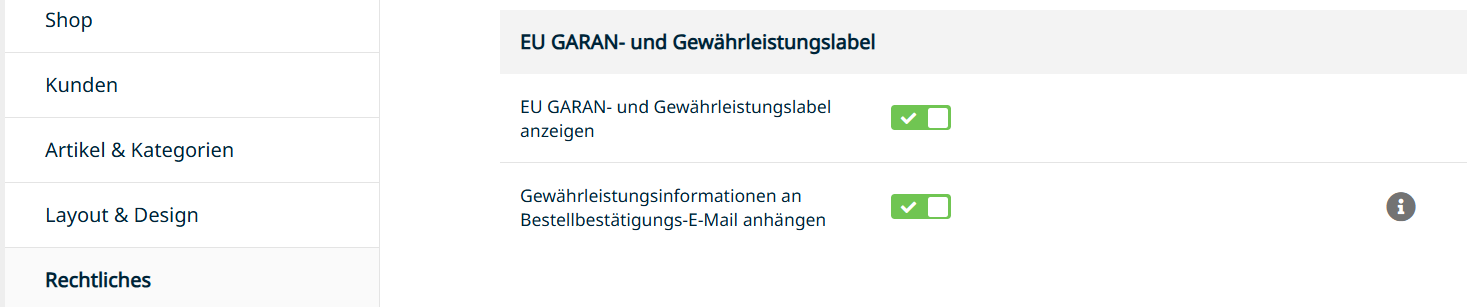
| Field name | Description |
|---|---|
| Show EU GARAN and warranty label | Shared switch for both labels. Displaying them is a legal requirement for sales to consumers; for pure B2B shops the switch can be turned off. |
| Attach guarantee information to the order confirmation e-mail | Shared switch for both labels. Attaches the labels to the order confirmation e-mail. Can be turned off if the labels are delivered by other means. |
Note
If you sell exclusively to businesses (a pure B2B shop), you are not required to display the labels and can leave the switch deactivated. As soon as consumers are able to order from you, the obligation applies. If the switch is deactivated, the shop shows a warning in the admin area noting that the display is legally required from 27/09/2026.
Control per customer group
Under Customers > Customer Groups you can additionally define per group whether the labels are shown, via the Show GARAN / warranty label option. This way you show the labels only for B2C customer groups, for example.
Setting up a manufacturer guarantee
The GARAN label is controlled through the manufacturer. If a manufacturer grants the same durability guarantee across their entire range, enter it once at manufacturer level – all products assigned to that manufacturer will then use it automatically, provided they do not have their own setting.
Storing a manufacturer's guarantee
- Open Products > Manufacturers
- Create a new manufacturer or edit an existing one
- Activate the Set manufacturer guarantee (GARAN) option
- Enter the Guarantee period in years
- Save the manufacturer
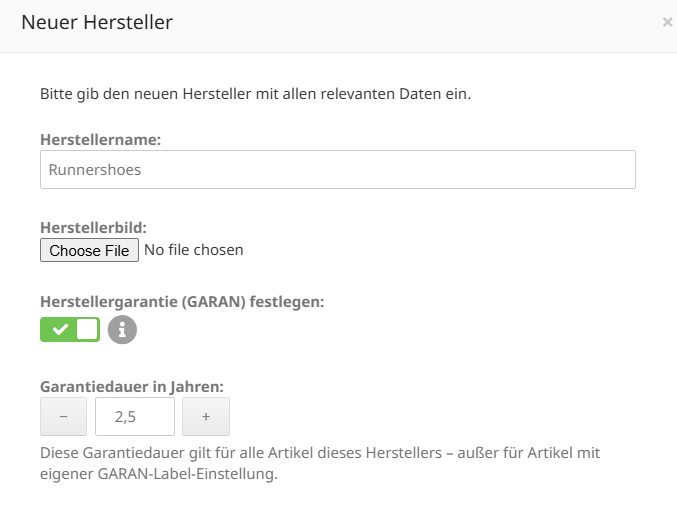
| Field name | Description |
|---|---|
| Set manufacturer guarantee (GARAN) | Activate this option if the manufacturer grants a commercial durability guarantee for their products. |
| Guarantee period in years | The duration of the guarantee in steps of half a year, for example 2.5 or 5. This value applies to all products of this manufacturer that do not have their own setting. |
| Reset all products to this guarantee | Available when editing a manufacturer. Applies the entered guarantee period to all products of this manufacturer – including products with their own warranty label and products whose label was deliberately switched off. |

Attention
Reset all products to this guarantee overwrites any differing settings at product level. There is no bulk undo; individual products would have to be adjusted manually afterwards. Only use this button if you really want to standardise the guarantee across the manufacturer's entire range.
Note
The lowest meaningful value is 2.5 years. A guarantee of exactly two years does not trigger the labelling, because it matches the statutory minimum guarantee and therefore offers no additional benefit.
Setting the guarantee per product
In the product you determine which guarantee applies and what the label shows. The basis is the manufacturer assigned in the product master data.

Further down in the product you will find the EU guarantee information GARAN section with the Which guarantee applies? choice.
| Field name | Description |
|---|---|
| Which guarantee applies? | Determines where the guarantee period for this product comes from: |
| Use the manufacturer's guarantee (default): The product uses the guarantee period defined at manufacturer level. If no manufacturer guarantee is available, no label is shown. | |
| Set a custom guarantee label: A different guarantee period applies to this product, independently of the manufacturer's setting. | |
| Show GARAN label for this product | Controls whether the label is output for this product. If deactivated, no label is shown – even if a manufacturer guarantee is available. |
| Guarantee period in years | The differing guarantee period for this product, in steps of half a year. |
| Brand/Trademark | The name of the manufacturer granting the guarantee. If left empty, the name of the assigned manufacturer is used. |
| Model identifier | The model designation of the product. If left empty, the stored MPN is used, otherwise the product number or the product name. During checkout the variant number may be appended so that the label identifies the exact variant. |
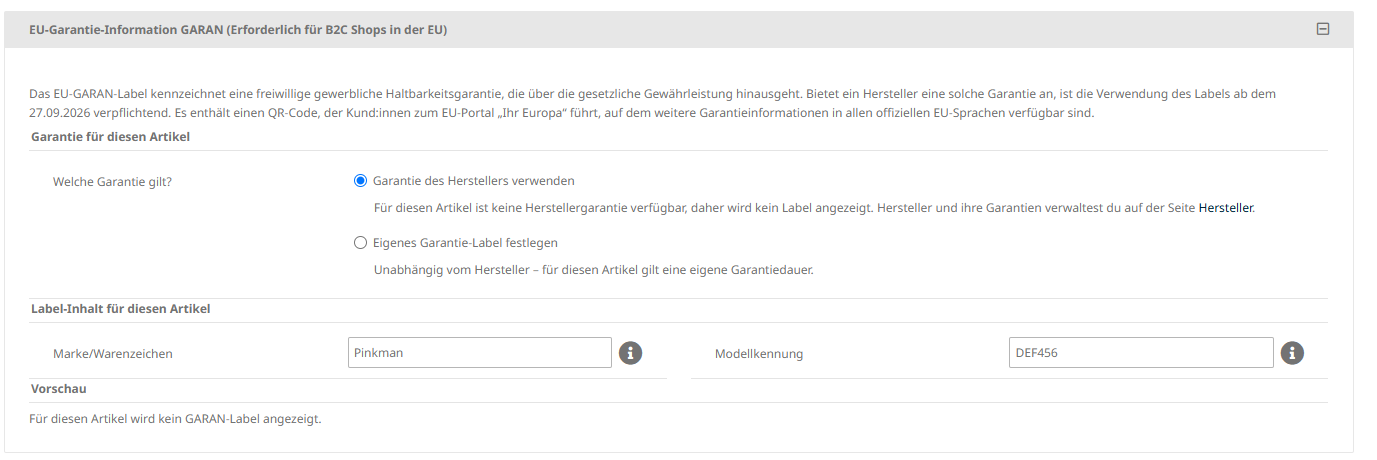
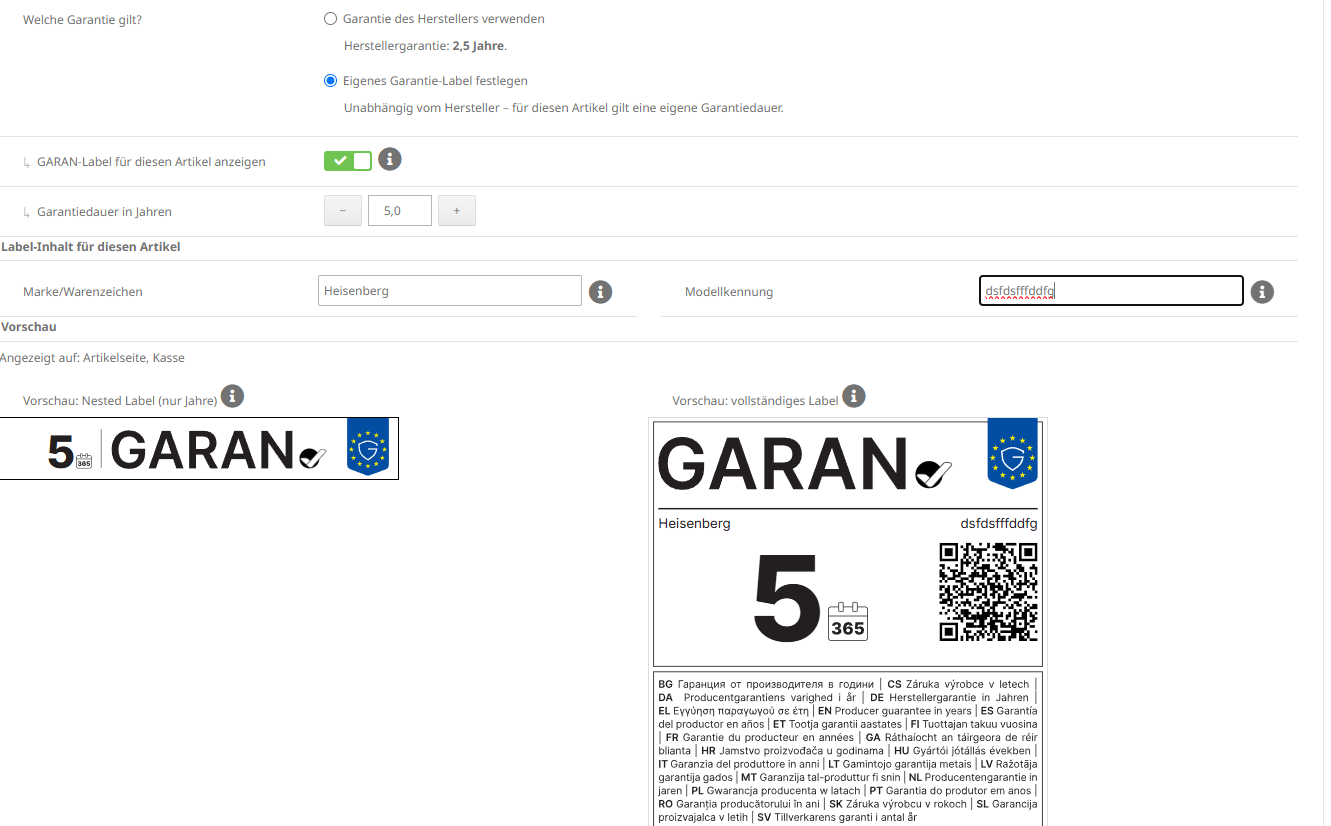
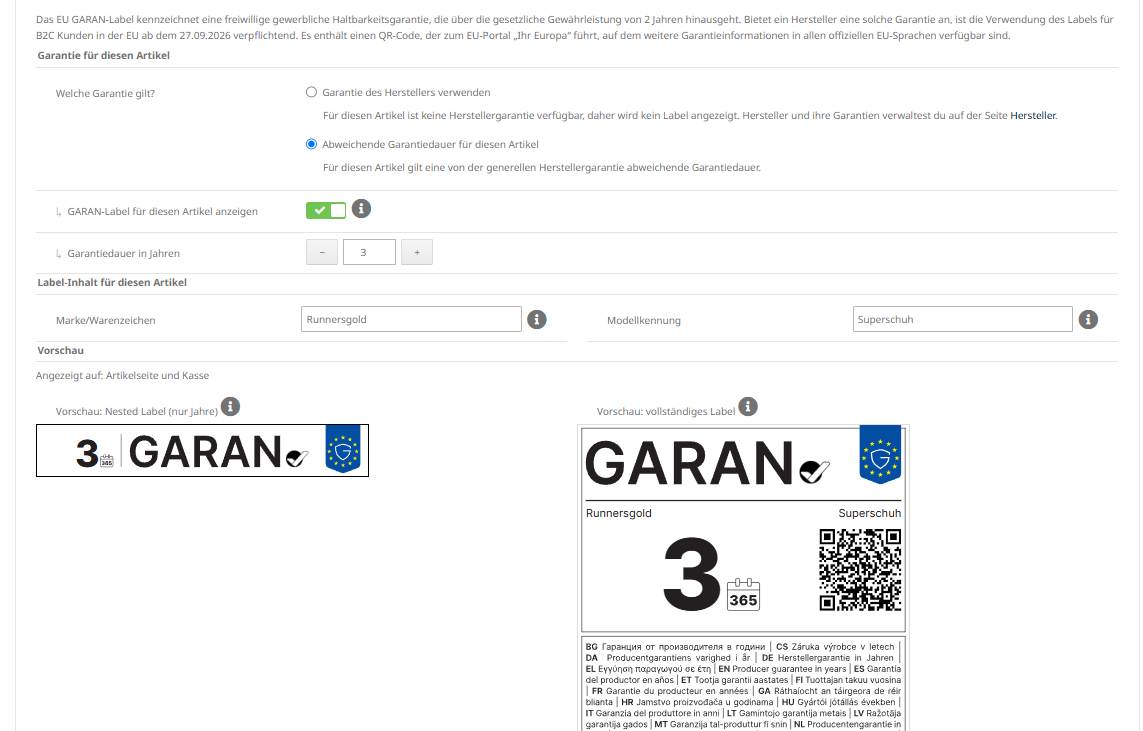
Below the input fields you will see a live preview of the label – the nested badge on the left and the full label on the right – including a note of where it is displayed.
Note
If no manufacturer is assigned to the product and no brand is entered, or if no valid guarantee period is stored, no label is shown. The shop points this out with a message.
Display in the shop
Legal guarantee label
On the product page, the legal guarantee notice is shown in full. It contains a QR code linking to the EU Your Europe portal and is displayed in the respective shop language. Clicking the label opens the corresponding page on the EU portal in a new window.
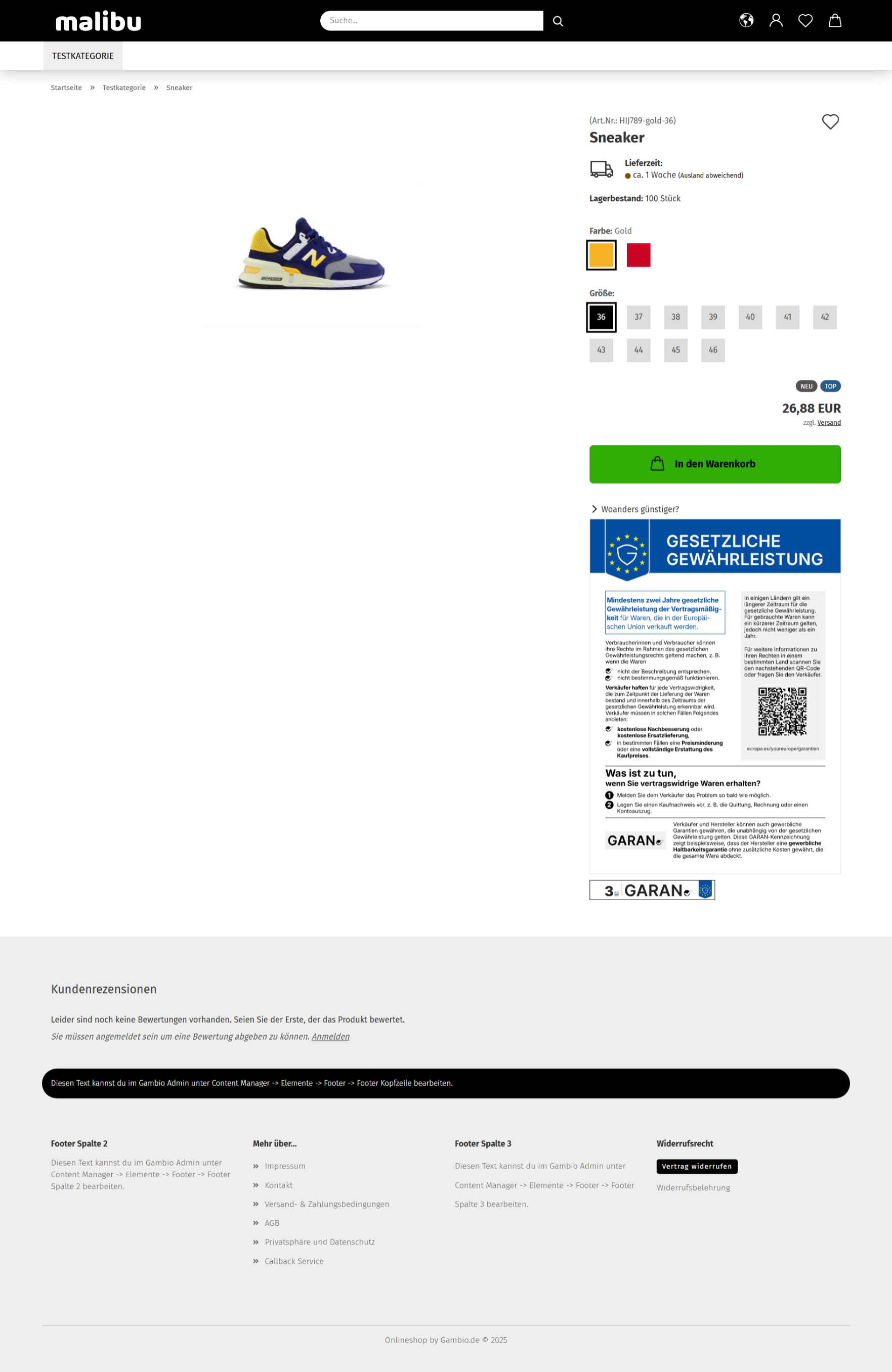
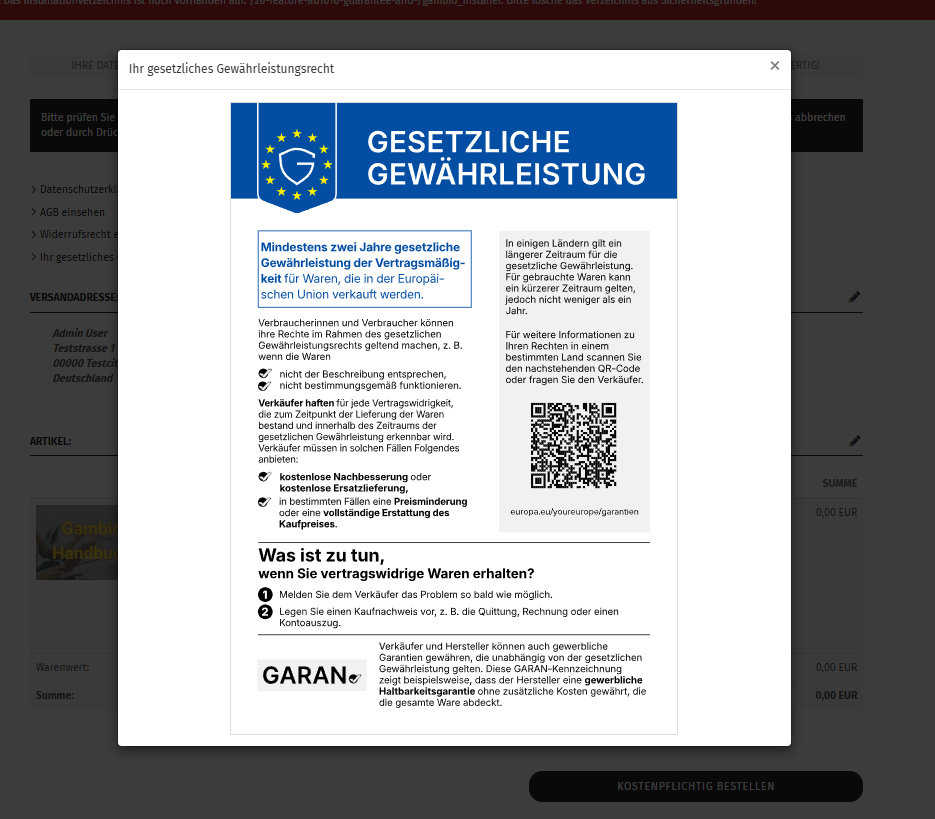
During checkout, the notice is shown as the link Your legal guarantee rights. A click opens the full harmonised notice with a QR code, again in the respective shop language.

GARAN label
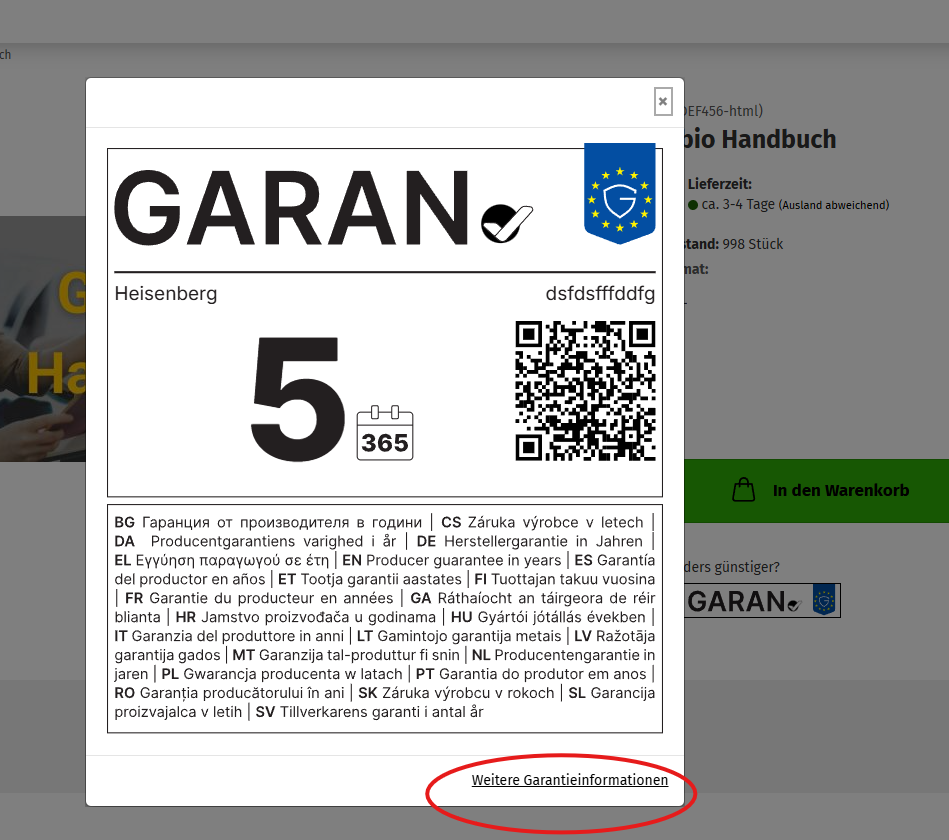
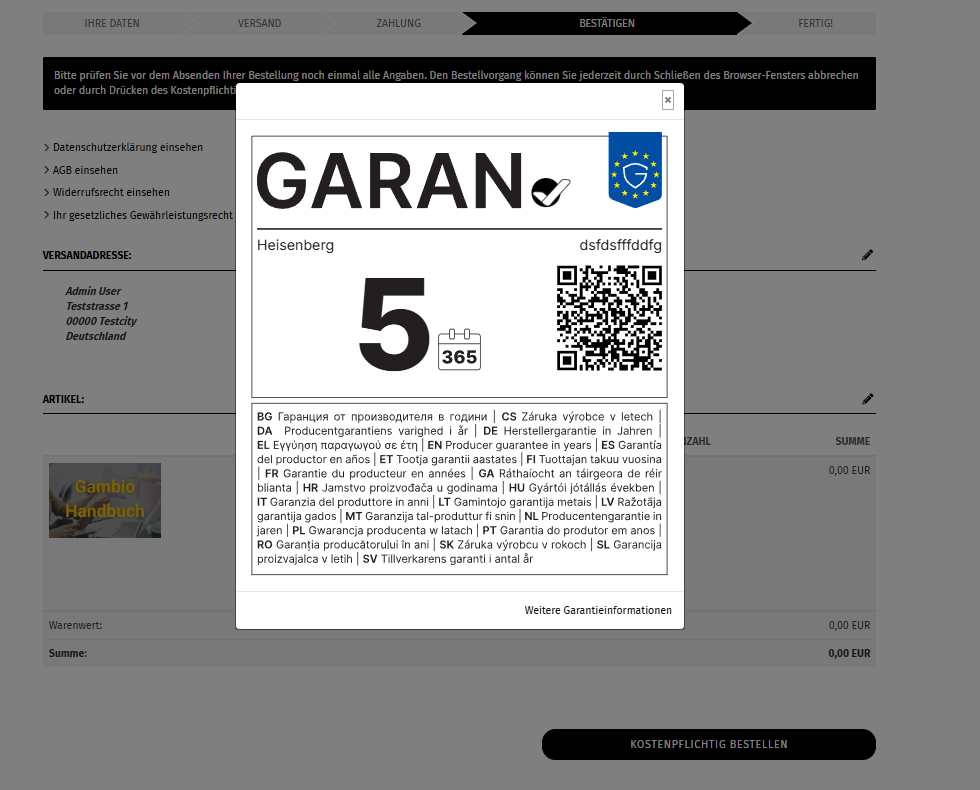
The GARAN label comes in two display forms: the nested badge (a compact online badge showing only the guarantee period) and the full label, which opens on click from the nested badge and shows the brand, model identifier, guarantee period, a QR code and the guarantee statement in all official EU languages.
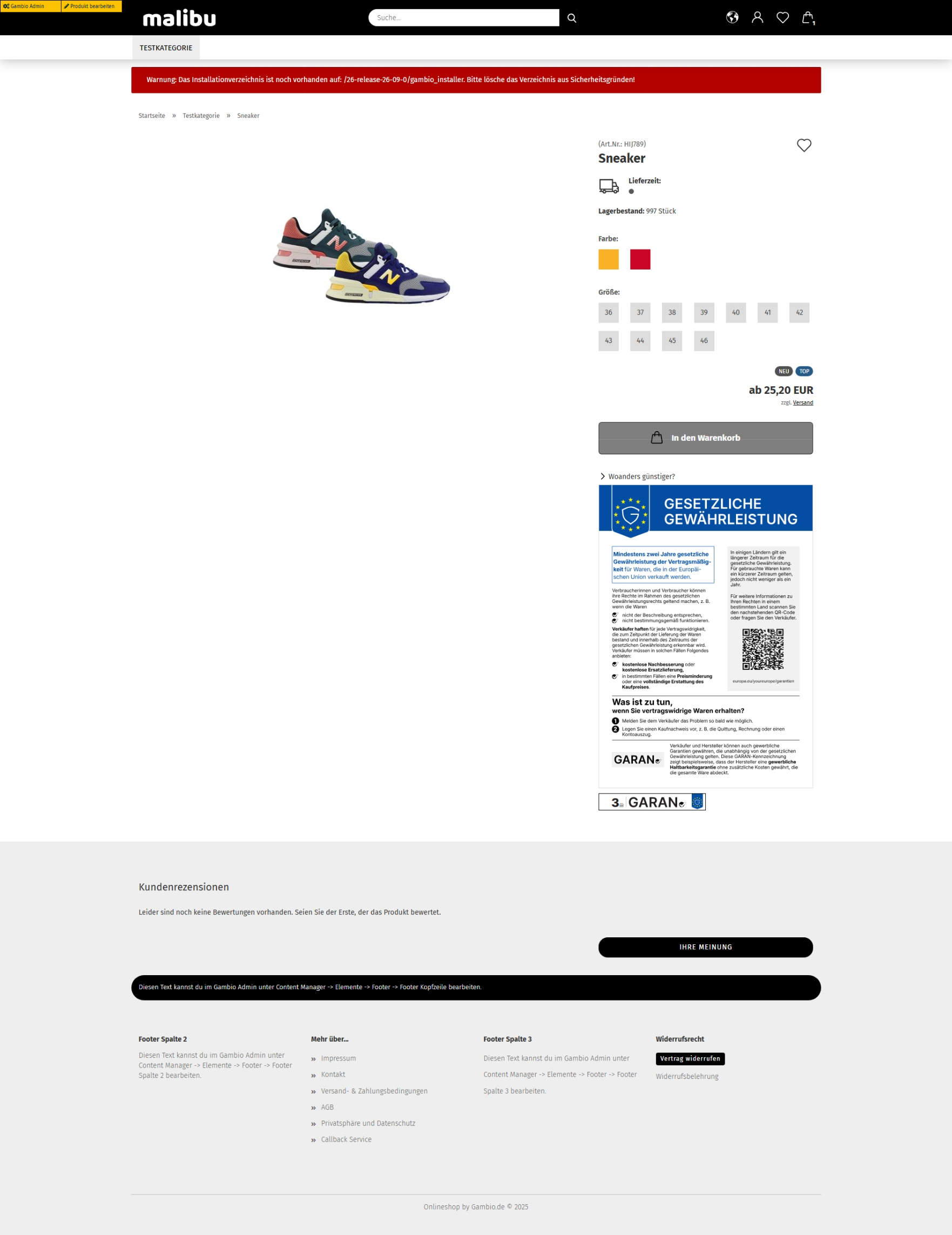
On the product page, the nested badge appears below the add-to-cart button. A click opens the full label with a QR code and the More guarantee information link, which leads to the EU portal.
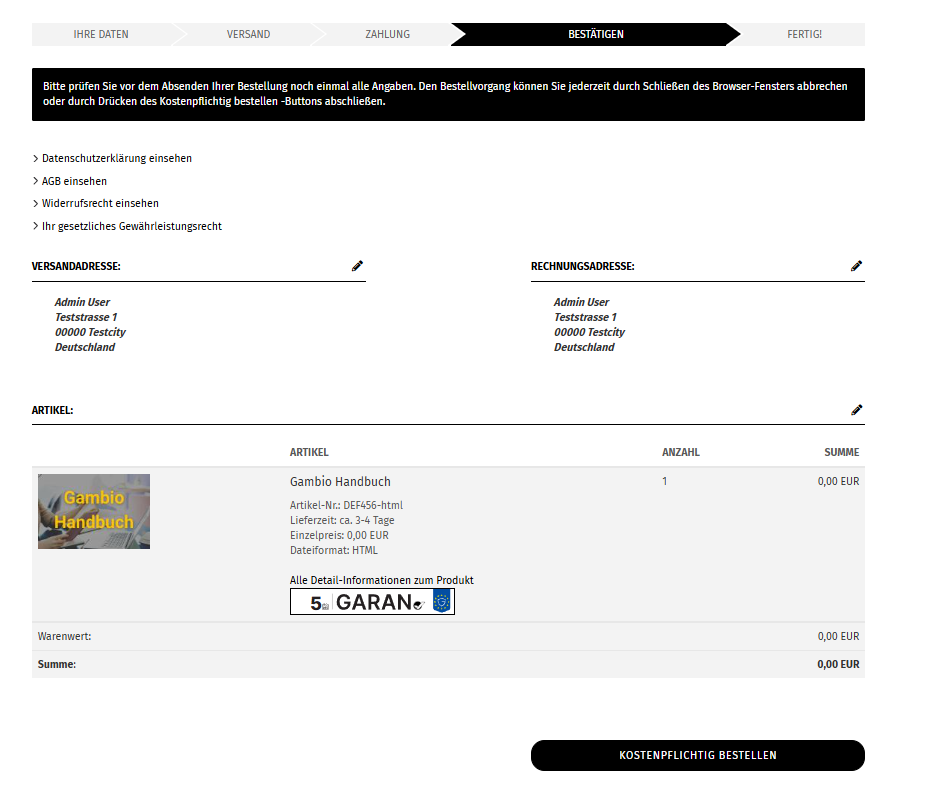
During checkout, the nested badge appears under each qualifying item at All product details; alongside it, the legal guarantee notice is available as a link. This keeps it clear which item of the order the guarantee applies to.
Order confirmation e-mail
Optionally, the labels can be attached to the order confirmation e-mail. You will find the Attach guarantee information to the order confirmation e-mail setting also under Settings > My Shop > Legal.
- The legal guarantee notice is attached as a PDF.
- Where applicable, the GARAN labels are attached as a separate PDF.
- The guarantee information is additionally added to the e-mail text.
Background
Confirmation on a durable medium is legally required from 27/09/2026 for sales to consumers. The e-mail attachment fulfils this requirement.
Languages
Both labels are displayed in the respective shop language and are available in all official EU languages. The full GARAN label additionally contains the guarantee statement in all EU languages; the QR code leads to the EU Your Europe portal, where further guarantee information is available in multiple languages.